Casinos That Accept Maestro in the UK: Deposits
 Available in GB
Maestro availability can depend on the account and card, while bonus eligibility depends on the promotion’s payment terms.

Table of Contents
- Maestro, Slot Deposits and Bonus Terms
- Deposit Limits: Check the Cashier Before You Pay
- Does Maestro Still Work at Online Casinos?
- What to Check When a Casino Says It Accepts Cards
- Using a Card for Slot Play: Limits That Matter
- If Maestro Is Not an Option, What Else Can You Use?
- Keeping Deposits and Withdrawals in Your Own Name
- Can a Casino Pay Winnings Back to Maestro?
- Making a Maestro Deposit: Timing, Currency and Costs
- GamStop Status Does Not Confirm a Payment Method
Maestro, Slot Deposits and Bonus Terms
A card showing in a casino’s general payment information does not automatically mean it will work for every deposit or qualify for every offer. For a Maestro deposit intended for slot play, I would check two separate things before choosing a promotion: whether the cashier accepts the specific card, and whether the promotion’s terms include deposits made with it. One green tick does not settle both questions.
Start in the cashier while signed in to your account. Look for Maestro among the payment options available to you, rather than relying only on a general page about cards. Payment choices can depend on the account and the card product, so the practical check is whether the option appears for your transaction. If it does, read the details shown before submitting the deposit. If it does not, do not assume that selecting another card brand or starting a payment will make the Maestro card eligible.
Then open the promotion’s full terms. The headline may describe a welcome offer or a slot bonus, but the conditions explain which deposits count. Find the section on eligible payment methods and check whether Maestro is included, excluded, or not addressed. If the terms are unclear, ask customer support to confirm the position before opting in or depositing. Keep the response, particularly if it clarifies how the promotion treats your card payment.
If you’re looking for a UK casino that accepts Maestro, check that payment option directly before signing up. The information below gives you one practical detail to consider: each operator’s stated payout speed.
Payout speed: 1-3 business days You can expect payouts in 1–3 business days.
Payout speed: 1-3 business days Payouts are listed as taking 1–3 business days.
Payout speed: 1-3 business days The stated payout speed is 1–3 business days.
Payout speed: 1-3 business days You can use the stated 1–3 business day payout speed as a point of reference.
Payout speed: 1-3 business days Payouts are listed as taking 1–3 business days.
Payout speed: 1-3 business days The stated payout speed is 1–3 business days.
Payout speed: 1-3 business days You can expect payouts in 1–3 business days.
Payout speed: 1-3 business days Payouts are listed as taking 1–3 business days.
Payout speed: 1-3 business days The stated payout speed is 1–3 business days.
Payout speed: 1-3 business days You can use the stated 1–3 business day payout speed as a point of reference.
This matters because a successful deposit and an eligible bonus are different outcomes. A card payment may reach the casino account without meeting the promotion’s conditions. Equally, an offer may be available in your account while the chosen payment method is excluded. The cashier tells you whether the payment route is offered; the promotion terms tell you whether that route qualifies. Check both. Simple, but easy to miss.
Look for any opt-in requirement as well. Some promotions ask you to activate an offer before depositing, while others may apply through a different process; follow the instructions stated for that specific promotion rather than guessing from the banner. Check whether the terms specify a minimum qualifying deposit, any games that count, and how slot play is treated. Do not assume every slot contributes in the same way, or that a bonus can be used on every game. If a condition is not clear, get it clarified before you make a payment.
Also check what happens if a payment fails, is reversed, or is made using a method the offer excludes. The terms may explain whether a deposit can be retried and whether the promotion remains available. Avoid making repeated deposits just to see if an offer triggers. If the bonus does not appear, pause and contact support with the transaction details rather than continuing to play on the assumption that it will be added later.


Pay attention to the difference between cash balance and bonus balance. The offer terms should explain how each is used, what play conditions apply, and what restrictions remain before any bonus-related winnings can be withdrawn. Read the conditions as a whole, not just the line describing the bonus amount. A prominent offer can be less useful than it looks if its payment, game or play-through conditions do not suit the way you intend to play.
A specialist review has described PayPal as popular for speed and convenience while noting that it may be excluded from bonus eligibility. That is a report about PayPal, not a rule you can transfer to Maestro or to every casino. For your own deposit, the operator’s current cashier and the terms of the chosen offer are the relevant checks. Payment method names can appear in general guidance without settling the eligibility of a particular promotion.
Before confirming, make sure the deposit amount shown is the one you intended and that the promotion is active on your account if activation is required. Save or note the relevant terms at the time you choose the offer. If the cashier lists Maestro but the bonus rules do not say whether it qualifies, treat that as unresolved and ask the operator first. That small check is less frustrating than discovering later that the card deposit was accepted but the slot offer was not attached.
- Check the cashier for Maestro availability while signed in
- Read the promotion’s full terms for eligible payment methods
- Clarify unclear conditions with customer support
- Follow specific opt-in instructions for each offer
- Rely on a general payments page for card eligibility
- Assume a successful deposit automatically qualifies for a bonus
- Guess the activation process from a banner
- Make repeated deposits to test if a bonus triggers
Deposit Limits: Check the Cashier Before You Pay
A deposit limit is not one fixed figure printed across a casino’s whole site. The amount you can add may depend on the payment method you select, and the cashier is where the relevant minimum and maximum should be shown before you confirm. I make a point of checking that screen rather than relying on a general payment page: the method-specific terms are what matter for the transaction in front of you.
A specialist casino review puts advertised minimum deposits in the £10–£20 range, while noting that the amount depends on the payment method. Treat that as a guide to what a review has reported, not a promise that every casino or every Maestro transaction will fit the range. The cashier may show a different minimum, and the figure displayed for one method should not be assumed to apply to another.
Check the limit for the selected method
Choose the payment method in the cashier and read the limits shown before entering an amount. If you are comparing ways to deposit, check each one separately: a casino can set different minimums and maximums for different methods. A figure shown beside one option does not automatically carry across to the others.
This matters when you have a particular amount in mind. If it is below the stated minimum, the cashier may not let you continue; if it exceeds the maximum, you may need to enter a smaller amount. Neither result tells you that the limit is the same for a later transaction or a different payment option. Check the displayed terms again when you make that payment.


I would also pause before treating a number on a general information page as definitive. It may describe the casino broadly without spelling out the terms for your selected method or account. The cashier gives you a more direct check of what the site will accept at that point. A quick look can save a failed attempt.
Look beyond a single deposit
Maximums can be set over more than one period. A cashier or account page may show a cap for an individual transaction, alongside separate daily or monthly limits. Those are different measures: being under the maximum for one deposit does not necessarily mean you have room under a wider account-period cap.
The applicable maximum can also vary with account status. So two customers at the same casino should not assume they will see identical limits, and a limit you saw earlier may not be the one that applies after your account details or status change. A specialist casino review describes maximums as varying by payment method and account status; the useful takeaway is to check the limits shown for your own account, not to rely on a figure quoted elsewhere.
Before paying, take a moment to identify exactly what the displayed limit covers. Is it the amount for this transaction, or a total across a stated period? Does the cashier show a separate minimum? If the wording is unclear, check the casino’s payment terms or ask customer support to clarify before confirming. It is better to settle the question before money is in motion.
Checking Deposit Limits
Choose the payment method in the cashier to see its specific minimum and maximum limits.
Read the displayed transaction limit and check for any daily or monthly account-period caps.
Input a deposit amount that fits within both the transaction and the wider period limits.
Verify the final amount on the confirmation screen before approving the payment.
What to do if the amount is rejected
If the cashier will not accept the amount you entered, do not keep trying random figures. Recheck the displayed minimum and maximum, and make sure you are looking at the row for the method you selected. If the amount appears to fit but the deposit still fails, the issue may not be the limit; the cashier or support team can explain what needs attention.
Keep the distinction between a transaction limit and a personal financial limit clear, too. The cashier’s payment limits describe what can be deposited through that method or within the stated period. Account-level financial controls are a separate matter. For this check, stay with the payment amount the cashier permits and the conditions attached to it.
In practice, my routine is simple: select the method, read the minimum, check the maximum for the transaction and any wider period, then enter an amount within those terms. If the limit is not visible or the wording leaves room for doubt, ask before confirming. That is more useful than relying on a remembered figure from a review, a previous visit or another payment method. Limits are specific. Check the screen.
Does Maestro Still Work at Online Casinos?
Maestro availability is not something I’d assume from a casino’s general “cards accepted” message. A payment page can name card brands without confirming that every card product under those brands will work. A specialist casino-payment review may list Visa and Mastercard, for instance, but that does not establish that your Maestro card is eligible today.

The practical answer is to check the cashier on the casino you intend to use, while logged into your account if the payment options are account-specific. Look for Maestro by name rather than treating a general card symbol as confirmation. If the cashier offers a card option but does not identify Maestro, check the payment information or ask the operator whether your particular card product is supported before trying to deposit.
That distinction matters because payment availability can change, and a list you saw elsewhere may not reflect the current choices shown to you. Even a page that appears current cannot confirm how the casino will handle your individual card. The cashier is the useful point of reference before you commit to a transaction.
I’d also check that the card details you plan to enter match the card you actually hold. If you have more than one card or account, don’t assume that a successful payment with one means another will be accepted. The card issuer and the casino both play a part in whether a transaction goes through; a failed attempt does not, by itself, tell you which side declined it.
If Maestro is not displayed, pause rather than selecting another card label and hoping it covers yours. Check the casino’s own payment information, then contact support if the wording remains unclear. Ask specifically whether Maestro deposits are currently supported for UK customers and whether your card product is eligible. Keep the answer tied to the casino you are using: a statement about one operator does not settle availability elsewhere.
Nor should you rely on an old page, a search-result snippet or a logo in a general list. Those can be useful leads, but they are not a live confirmation of the options in your account. Before depositing, return to the cashier and confirm what it offers now. A small check beats a rejected transaction.
Payment availability can change, and a general card symbol is not a confirmation that your specific Maestro card product is supported today.
So, can you use Maestro at an online casino in the UK? It depends on the operator’s current cashier options and the eligibility of your specific card. I would not treat a broad claim that a casino takes cards as a yes. Check the named method, confirm the card product with the operator if needed, and only proceed once the payment route is clear.
What to Check When a Casino Says It Accepts Cards
“Cards accepted” is a useful starting point, not a promise that every card will work. UK casinos commonly take debit cards, including Visa and Mastercard, but the logo on a general payments page may not tell you whether your particular card product is eligible. Maestro is the detail to check, rather than assuming that acceptance of debit cards covers it.
A specialist review may list Visa and Mastercard as payment options, but that information does not confirm current UK availability or compatibility with every card product. I treat the casino cashier as the practical check: sign in, open the deposit page and see whether Maestro is displayed as an available option for your account. If it is not listed, do not assume that selecting another card brand will make the transaction work.
There are two separate checks here. First, does the cashier offer card deposits at all? Second, does it identify Maestro, or otherwise clearly support the card you intend to use? A broad “debit card” label can leave that second point unresolved. If the cashier is unclear, ask the operator before trying a payment; that is simpler than finding out after a declined transaction.

Also check that the card itself is a debit card and that the name and details you enter match the card and casino account. A card bearing a familiar network mark is not automatically interchangeable with another product, and a casino’s general card information may not describe every issuing bank or card type. When in doubt, the operator can confirm whether its payment processor accepts your specific Maestro card.
The same principle applies on a phone. A mobile casino may present a simplified cashier, so open the actual deposit options rather than relying on a small card icon or a general “cards” label. If the method is missing or the wording is vague, check through the casino’s help channel before proceeding. The screen you will use to pay is more useful than a broad claim on a landing page.
Searches for online casinos accepting a Maestro card can turn up old or general payment information. Payment menus change, and a page mentioning cards may not distinguish between card products. Treat those mentions as a prompt to verify, not as confirmation that Maestro will be accepted for your account today. That distinction matters whether you are on desktop or mobile.
My quick check is simple: open the cashier, look for Maestro by name, and confirm with support if the available wording only says “debit cards”. Visa or Mastercard acceptance alone does not settle the question. Clear enough.
Credit Card Ban
UK-licensed casinos cannot accept credit-card payments for gambling, including those routed through wallets or money service businesses.
Using a Card for Slot Play: Limits That Matter
A card payment and a slot stake are governed by different rules. Your debit card may fund an account, but it does not change how much you can stake on a spin or remove the account controls a UK-licensed casino must provide. I find it helps to keep those two limits separate: one concerns money moving into the account; the other concerns how play is managed once it is there.
Before a new customer makes a first deposit, remote gambling licensees must prompt them to set a financial limit. They must also make account-level limit controls accessible, so you can review or change the limits through your account. Take that prompt seriously rather than clicking past it. A deposit limit can help control money going into the account, while a spending or loss limit can help you keep track of what happens during play; check what each control actually covers in the casino’s terms.
There is also a separate maximum stake for online slots in Britain. The cap is £5 per game cycle for customers aged 25 and over, and £2 for those aged 18 to 24. The £5 cap for all adults took effect on 9 April 2025. These are maximums, not suggested stakes, and a casino may allow you to set a lower limit. If you are using a Maestro-branded debit card, the card does not lift or alter the applicable slot stake cap.
The card rule is different again. The regulator banned credit card gambling on 14 April 2020, and the ban has not been relaxed. UK-licensed casinos cannot accept credit-card payments for gambling. That includes a credit-card payment routed through a money service business, and a wallet cannot be used where it permits credit-card funds to be spent on gambling. A card being accepted for ordinary purchases does not make it eligible for a gambling deposit.

When you open the cashier, check that the displayed card is a debit card and that the payment is being made from your own funds. If the card is credit, or the transaction routes credit-card funds through a wallet, do not try to make the deposit by changing the route. The restriction is about the source of the gambling funds, not merely the label shown on a payment screen.
It is also worth checking the account controls before you start playing, not after a session has run longer than planned. Make sure you can find your financial limits and understand how they apply to deposits or play. Online slot autoplay is banned in Britain, and each slot spin must last at least 2.5 seconds. Those rules do not depend on which debit card you used.
A payment method is not a permission slip. Keep the boundaries clear.
If Maestro Is Not an Option, What Else Can You Use?
If Maestro is missing from a casino’s cashier, you have a few broad alternatives to compare. The useful question is not simply which method sounds familiar; it is whether the casino accepts it for deposits, what happens if you later want to withdraw, and whether its terms fit the offer you plan to use.
Open banking or bank transfer may suit you if you prefer to authorise a payment through your bank rather than enter card details. A specialist review describes open banking and bank transfers as capable of providing instant deposits and fast withdrawals at many sites. That is not a promise for every casino or transaction: check the cashier and the payment instructions shown for your account before choosing this route.
Allows authorization through your bank for potentially instant deposits and fast withdrawals.
A prepaid voucher used for deposits only; requires a different route for payouts.
E-wallet alternatives that may be excluded from some casino promotions.
Paysafecard works differently. It is a prepaid voucher and is deposit-only, so do not treat it as a complete deposit-and-withdrawal solution. If you are considering it, check how the casino handles payouts before you pay in; you may need another permitted route for any withdrawal. That extra step can make a voucher less suitable if you want one method to cover the full payment journey.
Skrill and Neteller are e-wallet alternatives available at some sites. A specialist review notes that these wallets are often excluded from promotions, but the terms for a particular casino and offer are what matter. Read the promotion’s payment-method conditions before depositing, rather than assuming an e-wallet will qualify because it appears in the cashier.
There is no single best Maestro alternative for every player. If you want a bank-linked route, compare the open banking or transfer option shown by the casino. If you want to control the amount held in a prepaid balance, Paysafecard may be worth checking, with its deposit-only restriction in mind. If you already use an e-wallet, confirm both its availability and any promotion exclusions.

I would make the decision in this order: open the cashier while signed in, check which methods are actually offered to you, then read the relevant payment and promotion terms. A method mentioned on a general payments page may not be enabled for every account or transaction. And a deposit option is not automatically a withdrawal option.
Keep the comparison practical: can you deposit with it, can you withdraw through an allowed route, and does using it affect the offer you want? If any answer is unclear, ask the casino’s support team before sending money. A quick check beats finding out after the deposit.
Keeping Deposits and Withdrawals in Your Own Name
When you pay into a casino account, the payment details should belong to the same person named on that account. It sounds obvious, but it is an easy detail to overlook when you are moving quickly through registration and the cashier. With a Maestro card, check that the name on the card matches the name you use for your casino account before confirming a payment.
The point is not that a small difference automatically causes a problem. It is that mismatched ownership details can create avoidable questions around a transaction. A payment made from someone else’s card, or an account registered under a different person’s details, makes it harder to establish that the funds and casino account belong together. Keep the arrangement straightforward: your account, your payment route.
I’d also avoid switching between several people’s accounts or payment methods just because one happens to be nearby. Even where a cashier shows a method as available, that does not make another person’s card a suitable substitute for your own. If you share household finances, use a payment route that is still held in your name and check the casino’s terms rather than assuming a partner’s card will be accepted.
Attention Mismatched ownership details between the payment method and the casino account can create avoidable questions and friction during transactions.
Consistency helps, too. Where the casino supports it, using one named account for both deposits and withdrawals gives you a clearer record of how money moved. That does not mean every payment provider handles both directions, or that a particular route will always be available. Check the cashier and the operator’s payment terms. The useful principle is simple: use a route tied to you, and keep to it where practical.
This is especially worth checking if your bank account, card and casino profile display names differently. A shortened first name or a changed surname may be explainable, but do not rely on the cashier to infer that. Make your account details accurate, and contact the operator before paying if the names do not line up. A quick clarification is less awkward than trying to sort out a mismatch after a transaction has been flagged.
For anyone comparing casinos that accept Maestro in the UK, the payment logo is only part of the check. Confirm that your own card product is accepted, then make sure the casino account and payment details are yours and consistent. That small bit of housekeeping can remove a basic source of friction.
Keep the paperwork clean. Your name, your route.
Can a Casino Pay Winnings Back to Maestro?
A Maestro deposit does not automatically mean your winnings will be sent back to the same card. Before you pay in, check the cashier’s withdrawal information as well as its deposit options. The casino needs to confirm that your particular card can be used for payouts; if it cannot, the cashier should explain what route applies instead.

UK anti-money laundering rules commonly require a payout to go back to the original payment source. That is part of the closed-loop approach: it helps the operator check where the money came from and where it is going. If the original card cannot receive a withdrawal, the casino may ask you to use another method. Expect additional checks if the payment route changes, rather than assuming you can nominate any account at the last moment.
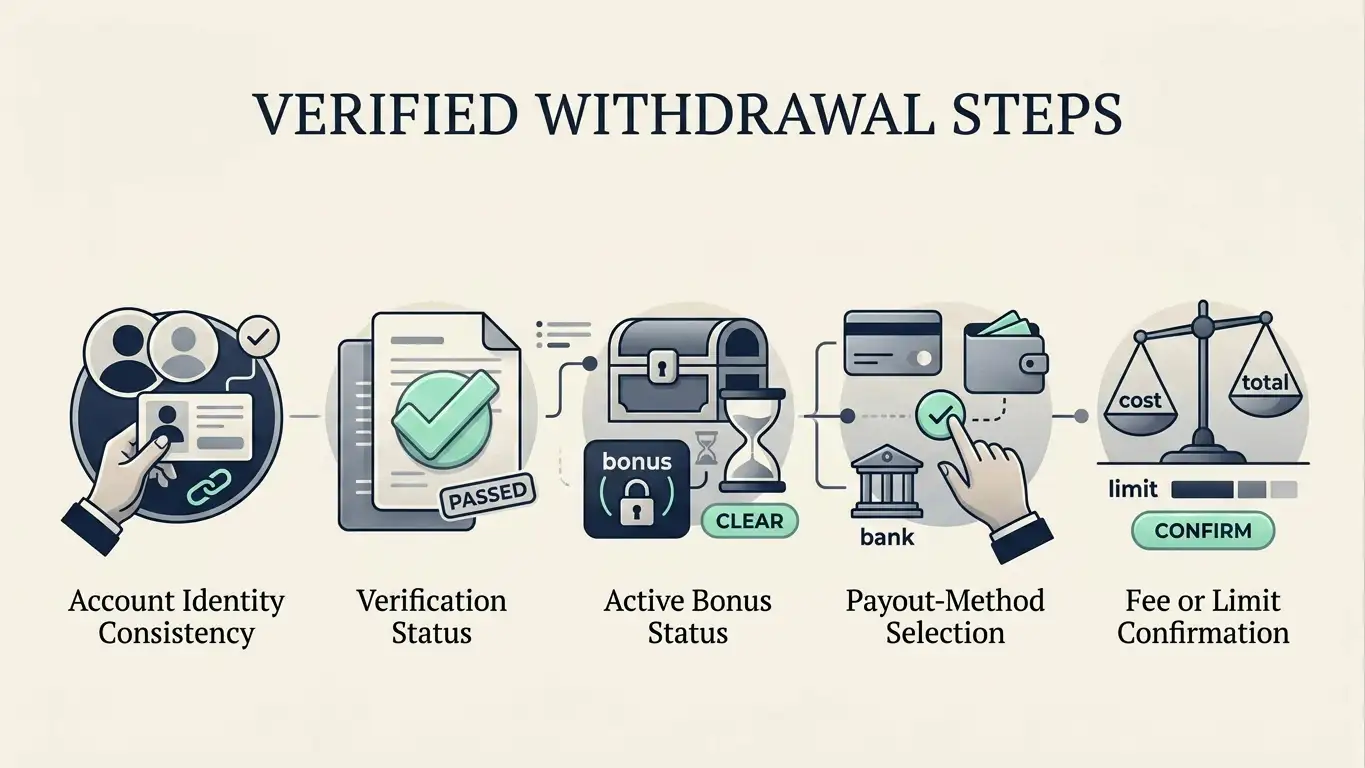
The details must still match you. Keep your casino account and payment method in your own name, and respond to requests for KYC documents before you submit a withdrawal. I would not treat a pending payout as a problem just because a card deposit appeared straight away; the two steps involve different checks.
A specialist review of casino payment processes notes that withdrawal time can depend on the operator’s approval procedure and whether verification is complete. The casino has to review the request internally before the payment provider or bank handles its part. First withdrawals can take longer while the operator finishes verification. Fast deposit, slow payout. That is the bit people tend to miss.
If a casino says it supports Maestro, read the wording carefully: it may refer to deposits only, not withdrawals. Look for a clear statement in the cashier or withdrawal terms, and contact support before depositing if the answer is unclear. Save the reply so you can refer back to what you were told.
Use a UKGC-licensed casino for real-money play in Britain, and check its current licence on the UK Gambling Commission public register. An offshore site without a UKGC licence is not a lawful alternative for serving British customers. A payment logo alone tells you nothing about whether a payout route is available, approved, or suitable for your account.
Maestro Withdrawal Facts
- Withdrawals usually follow a closed-loop approach, returning to the original payment source.
- First withdrawals may take longer due to internal operator verification and KYC checks.
- A casino supporting Maestro for deposits does not automatically mean it supports it for payouts.
- Only use UKGC-licensed casinos for real-money play in Britain.
Making a Maestro Deposit: Timing, Currency and Costs
If you are asking whether you can deposit by Maestro at an online casino in the UK, check the cashier before entering card details. Availability can depend on the casino and your specific card, so a general reference to debit cards does not confirm that Maestro will work for your account.
A specialist casino review describes card deposits as potentially instant, while a payout may take several business days. Treat that as an indication, not a promise about every transaction: a card issuer, the casino’s processing or a failed authorisation can affect what happens. And a quick deposit does not tell you what a later withdrawal will cost or how long it will take.
Before paying, check the account currency. Specialist casino reviews report GBP support on the pages they examine, but confirm that your own account is set to pounds before the first transaction. If the account or card is charged in another currency, conversion may apply. The exchange-rate spread can matter as much as, or more than, a visible flat fee.
Check the cashier and payment terms for charges at each stage. Costs can come from the casino, payment provider or card issuer, as well as currency conversion; comparing only a stated fee can miss the full cost. There is no single cheapest route for every deposit.
Bank transfers follow a different timetable. A specialist review notes that delivery can be affected by the bank’s cut-off time, weekends and currency conversion. So if you are weighing a card against a transfer, check the timing and currency shown for the actual method rather than assuming they behave alike.
This is separate from the question of a Maestro minimum deposit: the cashier displays the applicable amount, while this check is about when money arrives and what may be deducted along the way. Read the confirmation screen before approving a payment. Small print, real money.

GamStop Status Does Not Confirm a Payment Method
GamStop and Maestro answer different questions. GamStop is a self-exclusion scheme; whether a casino is covered by it does not tell you which cards its cashier accepts. A site described as outside GamStop is not, for that reason alone, a place where you can deposit with Maestro. Nor does a Maestro logo or card option establish anything about the site’s GamStop status.
If you are checking whether a casino accepts Maestro, look at the payment options shown in its cashier and confirm that your particular card is eligible. Card availability can vary between operators and can change, so a general description elsewhere is not a reliable substitute for the current cashier. Don’t infer acceptance from a site’s self-exclusion status.
There is a more important distinction if you are considering a site that is not covered by GamStop: that status is not a safety check or a recommendation. For play in Great Britain, remote gambling licensees serving customers must hold the relevant UK Gambling Commission licence. Check the operator on the Commission’s public register before depositing; being outside GamStop does not make an unlicensed site a suitable alternative.

If you have self-excluded because gambling is causing harm, looking for a way around that exclusion is a reason to pause rather than switch payment methods or sites. A card that works does not remove the exclusion or make gambling safer.
For a UK-licensed casino, payment choice is also separate from the account controls. Remote operators must prompt new customers to set a financial limit before their first deposit and provide accessible limit controls within the account. Take a moment to review those controls before funding an account. That is a practical check; the payment logo is not.
So, searches for Maestro casinos outside GamStop combine two separate things. Check the operator’s regulatory position and self-exclusion arrangements on their own terms, then check Maestro acceptance independently in the cashier. One does not prove the other.
What is the fastest withdrawal method for UK casinos?
PayPal, open banking and debit cards linked to fast payout systems are generally among the quickest options. Your account’s verification status and the casino’s approval process also affect how soon you receive the money.
Why must withdrawals return to the deposit method?
Returning funds to the original payment source is a common anti-fraud and anti-money-laundering control. Using a different destination may require extra verification.
Which payment methods are accepted in Great Britain?
UK casino sites commonly list Visa and Mastercard, bank transfers, e-wallets and, at some sites, open banking, Paysafecard and Apple Pay. Available options depend on the casino and your specific card or account, so check the cashier before depositing.
Are Visa and Mastercard deposits definitely debit cards?
No. Visa and Mastercard are listed, but you should check that your specific card product is eligible in the casino cashier. Credit cards cannot be used for gambling at UK-licensed casinos.
What is the current minimum deposit?
Minimum deposits are commonly reported in the £10–£20 range, but the amount varies by payment method. Check the limit shown for your selected option in the cashier before paying.
Which method has the lowest fees?
There is no universally cheapest method. Compare casino and provider charges, any bank or issuer fees, currency-conversion spread and network costs for the amount you plan to deposit.
Published by the Donbet team.