
Pay by Phone Bill at UK Casinos: Payment Guide
 Available in GB
Phone-bill deposits use Payforit to charge a mobile account, with contract charges added to a future bill and Pay as You Go charges taken from prepaid balance.

Table of Contents
- What a phone-bill casino payment actually means
- Making a deposit from your phone
- Phone billing versus cards and other payment methods
- Checking whether a casino accepts Payforit
- Using phone-bill deposits for mobile slots
- Deposits are not the same as withdrawals
- Network charges and Boku checks
- Before you use a phone-bill payment site
- Slot promotions and phone-bill deposits
- Topping up: keep the limits and payout route in view
What a phone-bill casino payment actually means
Paying a casino by phone bill means using Payforit to charge a deposit to your mobile account. If you have a monthly contract, the amount is added to a future phone bill. If you use Pay as You Go, it is taken from your prepaid balance instead. The money does not come from a bank card just because you happen to be using a phone: the charge is connected to your mobile account.
That distinction is the useful starting point. “Pay by phone” can sound as if the casino is taking payment from the handset itself. It is more accurate to think of it as a phone-account charge. Your contract bill or prepaid credit is the source of the deposit, and Payforit is the payment route used for it.
Payforit is generally intended for mobile players. That makes the method relevant if you are looking for a mobile casino payment from your phone account, rather than simply using a mobile browser to make a payment by some other means. The device and the funding source are separate things: accessing a casino on a mobile does not, by itself, mean you are paying by phone bill.

I find that separation clears up a common muddle. “Mobile casino” describes where or how you play; “pay by phone bill” describes how a deposit is charged. You can use a phone to visit a casino without using Payforit, and Payforit is the specific billing route to look for when you want the deposit charged to your mobile account.
Contract bill or prepaid balance
The charge works differently depending on the type of mobile account you have. With a monthly contract, the deposit is added to a future bill. You are not paying it from a prepaid pot at the moment of the deposit; it becomes part of what your phone account is billed for later.
With Pay as You Go, the deposit comes out of the credit you have already prepaid. That means the relevant balance is your mobile credit, not a later contract bill. If there is not enough prepaid credit available, that account balance cannot cover the charge. The practical difference is simple: one route adds the amount to a future bill, while the other uses existing prepaid credit.
This is why “mobile bill casino” can be slightly misleading as a phrase. For a contract customer, a bill is literally involved. For a Pay as You Go customer, there may be no monthly bill at all; the deposit is taken from prepaid credit. Both are ways of paying through the mobile account, but the money reaches the account in different ways.
What Payforit is — and is not
Payforit is not the same thing as paying with a bank card on a phone. The fact that you are holding a mobile does not turn a card payment into a phone-bill deposit. Nor does using an e-wallet on a handset make it Payforit. With Payforit, the charge is tied to the mobile account, whether that account is a monthly contract or Pay as You Go.
That is the boundary worth keeping in mind before you open a casino cashier. A payment option may be designed for mobile use without charging your phone account. Conversely, seeing Payforit as an option means the payment is being treated as a phone-account charge, not merely as a payment made on a mobile screen. The method name matters more than the device you used to reach the cashier.
I would also avoid assuming that a particular network’s customers can use the method everywhere. A mobile account type tells you how a Payforit charge would be funded; it does not establish that a given casino offers Payforit to every customer or supports every network. That is a separate availability check, not something you can infer from having a contract or prepaid SIM.
The short version: Payforit lets a mobile player fund a casino account through their phone account. Contract customers see the charge added to a future phone bill; Pay as You Go customers use prepaid credit. It is a payment route, not a synonym for every payment made on a mobile. Keep that distinction clear and the wording in a cashier makes a lot more sense.
Deposit Process
Sign in to your casino account, open the cashier, and choose Payforit from the available methods.
Choose your deposit amount and enter the mobile number you wish to use for the charge.
Receive a confirmation code via text and enter it into the payment flow after verifying the amount and details.
Submit the code to authorize the transaction and wait for the casino balance to update.
Making a deposit from your phone
If you want to make a casino deposit by phone bill in the UK, the cashier flow is short: choose Payforit, enter your mobile number, then confirm the payment using the code sent by text. The important part is to check the amount and details on screen before you confirm. The SMS code authorises the transaction; it is not just a routine message to tap past.
Start by signing in to your casino account and opening the cashier or deposit page. Select Payforit from the methods actually shown there. The available options can differ between accounts and operators, so don’t assume the method will appear just because you have used it elsewhere. If it is not in the live cashier, you cannot use it for that deposit.
Before choosing an amount, look at the cashier’s current minimum and maximum, any stated fee, and any financial limits on your account. Those details belong to the operator’s live payment screen, not a general guide. UK-licensed casinos must also ask new customers to consider setting a financial limit before their first deposit, and account limit tools must remain accessible afterwards. Take the prompt seriously and set a limit you can afford.
Payforit deposits are commonly described in specialist reviews as having a minimum in the £3–£5 range, but that is not a promise about a particular casino. The amount accepted at your chosen site is the one displayed in its cashier. There is also a firm transaction ceiling: the Phone-paid Services Authority caps a Payforit deposit at £30 per transaction. If the amount you want to add is above the limit shown, don’t try to split it into smaller payments to get around the cap. Keep to the permitted amount and the cashier’s terms.


Once you have selected an amount, enter the mobile number you want to use. Check each digit before continuing; a mistyped number can send the confirmation request to someone else’s phone. The number should be one you can access at that moment, because the next step relies on receiving an SMS. Payforit is designed for mobile players, so follow the casino’s on-screen instructions on your phone rather than assuming a desktop cashier will offer the same route.
The text contains a confirmation code. Enter that code into the field in the payment flow and submit it only after checking that the payment amount and casino details match what you intended. That submission confirms the Payforit transaction. If the message does not arrive, pause instead of repeatedly starting new payment attempts. Check that the number is correct and that you can receive texts, then use the cashier’s help or payment support route if the problem continues.
If you receive a code but did not request a deposit, do not enter or share it. A confirmation code is part of approving the payment. Treat it as private, and return to your account to check its activity or contact the casino through its official support channel.
After successful confirmation, the deposit is charged to your monthly phone bill or deducted from your Pay as You Go balance. The cashier should show whether the transaction has gone through and whether the casino balance has updated. If the payment is pending or the balance has not changed, avoid submitting another deposit straight away: check the transaction status first, so you do not accidentally authorise a second charge.
- Read the final confirmation screen slowly
- Verify the number, amount, and recipient
- Keep transaction references until funds are credited
- Repeatedly start new payments if the SMS is delayed
- Share your confirmation code with anyone
- Send SMS codes to customer support
Keep the confirmation screen or any transaction reference until the account balance is correct. If the phone charge appears but the casino has not credited the funds, give support the transaction details through the casino’s official channel. Do not send your SMS code. Support may need information about the payment, but the code itself is for authorising it.
One small habit saves trouble: read the final confirmation screen slowly. Verify the number, amount and recipient, then submit the code. Pay-by-mobile is quick to initiate, but the charge is real and may appear later on a contract bill rather than as an immediate card transaction. With Pay as You Go, the amount comes from prepaid credit. If the cashier’s terms or the payment result do not look right, stop and resolve that before trying again.
Phone billing versus cards and other payment methods
The difference between paying by phone and using a card is not just which screen you tap. It is where the deposit comes from, how widely the method is offered and what options the casino makes available to your account. Payforit puts the charge on a monthly mobile bill or takes it from prepaid phone credit. A debit card uses money held in your bank account. Those are separate routes, and neither should be assumed to work at every casino.
Debit cards are the more broadly accepted option in UK casino cashiers, according to current specialist reviews, while Payforit is listed at fewer operators. Those reviews also describe debit card deposits as free, but the cashier remains the place to check the terms for the particular casino and account. A card may be familiar and widely supported, but that does not mean every card or transaction will be accepted.

Payforit can suit someone who would rather charge a deposit to their mobile account than enter card details. The trade-off is narrower availability. If you are looking for a pay-by-phone option at a casino, treat it as one possible route rather than a standard feature of every UK casino app or website. The cashier’s current payment list is more useful than a general claim on a page about payment methods.
Debit cards and the credit-card rule
Visa and Mastercard appear among the card brands listed by independent current reviews, but the important distinction is between debit and credit. A debit card draws on funds in your bank account; a credit card borrows against a credit facility. In Great Britain, a UK Gambling Commission-licensed remote operator must not accept credit-card payments for gambling. That restriction also applies where a money service business is used to route the payment.
So a credit card cannot be made acceptable simply by passing its funds through another payment service first. Do not try to turn a prohibited credit-card payment into a casino deposit by using an intermediary. If you want to pay by card, use a permitted debit-card route and check that the cashier identifies it as such. The rule is not a preference set by an individual casino.
This is one reason phone billing and debit cards should not be treated as interchangeable. Payforit is charged through the mobile account, while a debit card is tied to a bank account. The practical choice depends on which method the casino offers and which source of funds you intend to use—not on assuming one method is a workaround for the other.
Credit Cards
UK Gambling Commission-licensed remote operators must not accept credit-card payments for gambling, including those routed through intermediary money services.
Other options in the cashier
Cards and Payforit are not the only methods that may appear. Current independent specialist reviews also list Skrill, Neteller and PaysafeCard, as well as several major cryptocurrencies, among payment options at casinos they cover. That is a snapshot from reviews, not a promise that each method will be available at a particular operator today. Payment menus change, and an option shown in a general review may not appear in your live cashier.
Boku is another pay-by-mobile alternative, while e-wallets and PaysafeCard offer different ways to fund an account. They are not the same thing as Payforit: each has its own terms and must be separately listed by the casino. If you prefer an e-wallet, check that the named service is available to you rather than relying on a broad label such as “digital payments”. The same goes for any other payment method.
A useful comparison is therefore straightforward. Payforit links the deposit to your phone account; debit cards are more widely accepted in the reviews and draw from a bank account; other services may provide another route where the casino supports them. No option is universal. I would check the cashier first, then compare the methods it actually offers instead of choosing on the strength of a generic list.
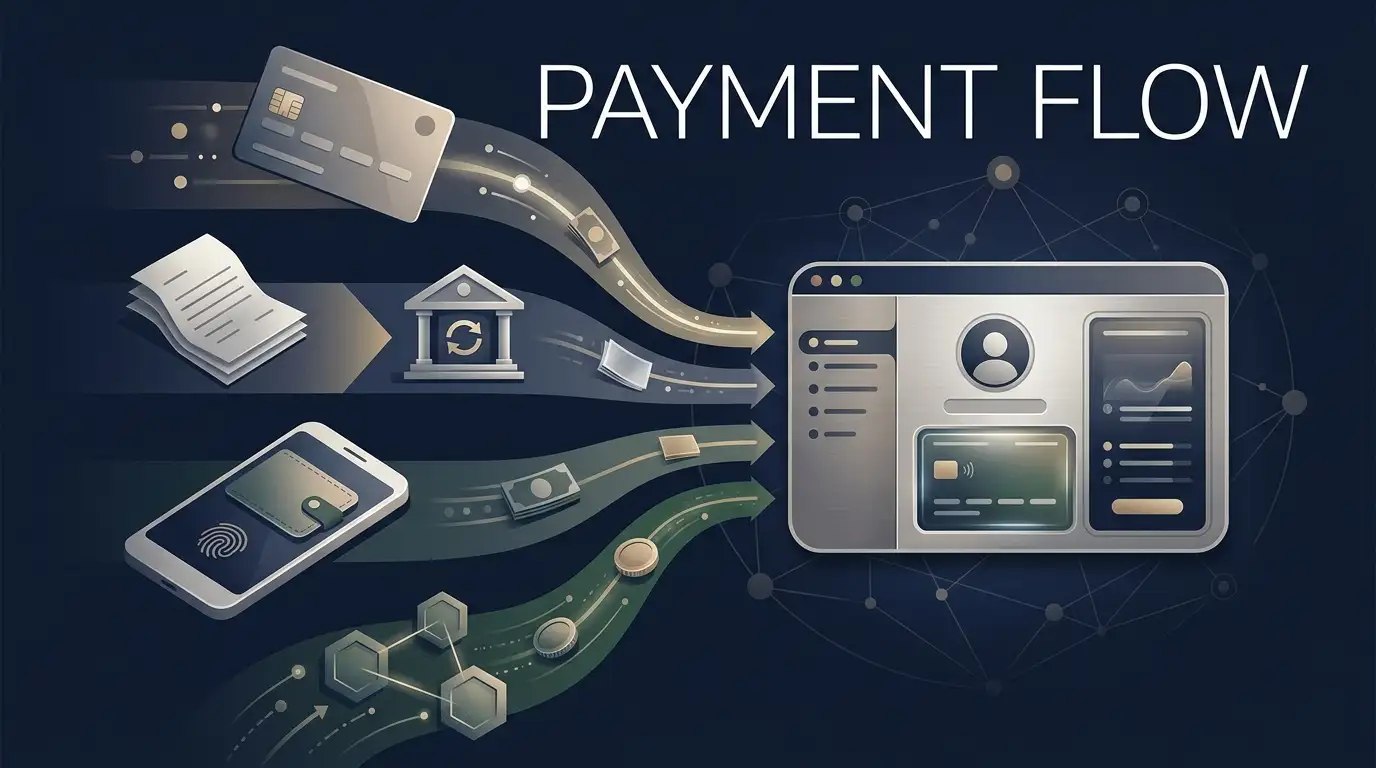
For a UK casino app, the payment options still depend on the operator’s cashier, not simply on whether you are using a phone. A mobile screen does not make Payforit available, and having a mobile contract with a network such as O2 or EE does not by itself confirm that the casino accepts the method. Look for the payment name in the live deposit menu. If it is absent, do not assume a similar-looking phone payment option is the same service.
That distinction saves a common bit of confusion: “pay by phone” can describe the broad idea, but the cashier needs to name the specific method you can use. Check the route that is actually offered, and compare it with the debit-card or other options shown for your account. Payment methods are not interchangeable just because they all end with a balance in the same casino account.
Checking whether a casino accepts Payforit
A casino may mention pay by phone on an information page and still not offer Payforit to every player. Payment options can vary between operators, account settings and the cashier shown to you, so treat a general claim as a lead, not confirmation. The useful check is the live cashier while signed in: look for Payforit among the deposit methods available to your account.
A specialist review’s current cashier checks list Kwiff, NetBet, JackpotJoy and Virgin Games as operators where Payforit is available. These are examples to verify, not a ranking or a promise that the method will appear for every customer. The payment menu can change, and a listing elsewhere may not reflect what the operator offers today. If you are considering one of these casinos, open its cashier directly before making plans around a phone-bill deposit.
Operator Examples
Specialist reviews list Kwiff, NetBet, JackpotJoy, and Virgin Games as operators where Payforit has been available, though you should always verify this in your live cashier.
The same goes for a casino app. An operator may provide a mobile app, but that alone does not tell you which payment methods its cashier supports. Check the payment options in the app itself; if Payforit is not shown there, check the operator’s website cashier or ask its customer support whether it is available for your account. A payment logo or a general page about phone payments is not the same as an option you can select.
When you inspect the cashier, read the details attached to the method rather than stopping at its name. The operator’s live information is where to confirm the minimum deposit, maximum transaction value and any fee. Check the financial-limit controls for your account as well. These details can differ by operator and can change, which makes an old review or an undated payment guide a poor substitute for the live screen.
There is one account check to make before you deposit: UK rules require a new remote customer to be prompted to consider setting a financial limit before the first deposit. You should also be able to access account-level limit facilities afterwards. Take the prompt seriously, and make sure you know where to find those controls; a deposit method being available does not make the account settings irrelevant.
If the cashier lists Payforit, you have a stronger indication that the operator currently supports it than a broad claim on a comparison page. If it is absent, do not assume you can make it appear by switching devices or relying on another player’s experience. Availability is specific to the account and the payment options the operator is displaying. Ask the operator for clarification rather than treating a third-party listing as definitive.

I would keep the check simple: confirm Payforit is visible in your own cashier, read the terms shown beside it, and review the account’s financial-limit controls before depositing. Payment pages are not carved in stone. A quick check beats finding out after you have already decided how to fund the account.
Using phone-bill deposits for mobile slots
Payforit is aimed at mobile players, so it can suit a slot session when you are already using your phone. The deposit is credited to your casino account; it does not restrict you to a particular slot or mean that every game has its own phone-billing option. Once the balance is in the account, you choose from the games available there.
That distinction matters. “Mobile slots” describes how you access the games, while Payforit is one way to fund the account. A casino can offer slots on a phone but not accept Payforit, or accept Payforit while setting separate rules for promotions. Check the live cashier and the terms for your account rather than assuming that mobile access means this payment route is included.
The practical catch is promotional eligibility. Current specialist reviews report that most UK casinos exclude Payforit deposits from welcome bonuses and other promotional offers. So if you are choosing between a phone-bill deposit and another route because you want to claim an offer, read the offer terms first. The key detail is often the payment method used to fund the account, not whether you open the slot on a phone or a computer.
I would treat any bonus as separate from the convenience of paying by phone. A promotion may have its own qualifying deposit rules, and the cashier’s payment list does not confirm that a deposit qualifies. If the terms are unclear, ask the operator before you fund the account; guessing after the deposit is made is a poor way to start a session.
Bonus Eligibility
Most UK casinos exclude Payforit deposits from welcome bonuses and other promotional offers; check the specific offer terms before depositing.
For a UK player, use a casino holding a current UKGC licence, and remember that age checks apply before deposits are allowed. New customers must also be prompted to consider a financial limit before their first deposit, with account-level limit tools remaining available afterwards. Those checks are part of the account setup, not a feature of Payforit.
In short, Payforit can be a mobile-focused way to fund slot play, but it does not make a bonus more likely or change the casino’s offer rules. Check both the payment option and the promotion’s wording before you decide. A small check now saves a needless surprise later.
Deposits are not the same as withdrawals
Payforit is a way to put money into a casino account, not a route for getting winnings back out. If you deposit this way, you will need to use a different, verified payment method to receive a withdrawal. That might be a bank account, debit card or e-wallet in your own name, depending on what the casino supports.
At UK-licensed casinos, the cashier may offer withdrawals to a debit card or bank account, or through PayPal or an e-wallet such as Skrill or Neteller. Those are possible routes, not a promise that every option will appear for every player. I check the withdrawal tab while logged in, rather than relying on a payment-method list elsewhere on the site. The account’s actual cashier is what matters.

Pay particular attention to whether the available route matches your account details and currency. A payment method shown for deposits is not automatically available for cashing out, and Payforit itself cannot be selected to receive casino funds. If you have funded a casino by phone bill, make sure you can use another verified payment source before you start playing. A deposit can be simple; the exit route is where people get caught out.
Withdrawal limits, charges and processing times are not fixed across UK casinos. Specialist payment reviews do not establish dependable UK-wide figures for these details, so check the live cashier for the terms attached to your account and chosen method. The same goes for minimum withdrawal amounts: the operator’s current rules determine whether a requested sum can be paid.
There is no point guessing from a general description. Open the cashier, select the withdrawal area and read the available methods and conditions before you deposit. If anything is unclear, ask the operator how a Payforit-funded account can withdraw and which verified details it will require. Keep the answer with the current terms, not an old page or a memory of what another casino allowed.
That small check makes the distinction plain: paying by phone bill can fund play, but it does not send winnings back to your phone account. Your cash-out depends on a separate route the casino currently offers and your account can use. Be certain before you begin.
Network charges and Boku checks
Boku is a separate pay-by-mobile option from Payforit, so seeing one in a casino cashier does not mean the other is available. Check the payment options shown on your own account before starting: support can differ between operators and may change. If Boku is not listed, do not assume your mobile network can process the deposit another way.
Transactions are generally capped at £30, although the individual operator may set a lower maximum in the cashier.
Mobile networks may add a processing fee depending on your specific tariff and provider.
Like Payforit, Boku requires you to confirm the transaction via SMS before funds are moved.
A specialist review reports a standard Boku transaction cap of £30. Treat that as a limit to confirm against the casino’s live cashier, not as a promise that every account can deposit that amount. The operator may set a lower maximum, and its cashier should show the current transaction terms before you confirm.
Your available phone credit also has to cover the deposit and any network processing fee. That matters on pay-as-you-go: a balance equal to the deposit alone may not be enough if a fee applies. On a monthly contract, check how the charge will be handled under your tariff rather than assuming the payment is included at no extra cost.
A specialist review notes that a network may add a processing fee to a Boku transaction, with the amount depending on the network and tariff. In practical terms, the charge for a customer on Vodafone, Three or giffgaff cannot safely be inferred from the provider’s name alone; tariff terms matter too. Check your current network account or tariff information, and read any cost disclosure shown during the payment flow. If the total is unclear, stop before confirming.
Boku also requires you to confirm the transaction by SMS before the funds move. Read the message carefully and make sure the amount matches what you intended to deposit. Do not reply to an unexpected payment prompt or approve a figure you do not recognise.
Keep the distinction clear: the casino cashier tells you whether Boku is currently supported and what transaction limits it applies; your network’s tariff information is where to check any phone-side fee. Both checks matter. A payment option appearing on a general casino page is not enough to establish that it is available to your account, or what your network will charge.
Before you use a phone-bill payment site
Before adding money, I check what the account can actually use to pay winnings out. Payforit is a deposit route, so its presence in the cashier does not tell you which withdrawal methods are available. Open the cashier’s withdrawal options while signed in and confirm the route works for your account, matches your details and uses a currency you can receive. A specialist review also advises checking whether a deposit method can be used for withdrawals; treat that as a prompt to verify the live account, not as a promise that the same method will work both ways.
Some casinos outside the UK require withdrawals to go back through the deposit method. That is not a reason to assume the rule applies to every site, but it is a useful reminder to read the operator’s current terms before you deposit. If a payout route is unclear, ask the operator before money goes in. Better than finding out at cash-out.
Check whether the account has any outstanding identity checks, too. An operator may need to verify your identity before it can process account activity, so follow any requests shown in your account and make sure the details are accurate. Age must be verified before an operator lets you deposit.
Final Account Check
- Verify available withdrawal methods in the cashier
- Confirm the payout route matches your account details and currency
- Complete all outstanding identity and age verification checks
- Set a personal financial limit before the first deposit
Then read the current terms and the cashier information together. Check the withdrawal options, any account-specific requirements, and the conditions that apply to the payment method you plan to use. Minimums, maximums, fees and processing arrangements can depend on the operator and method, and can change. A specialist review recommends checking these details before depositing; the live cashier and current operator terms are the practical places to confirm them.
There is one more account check for new customers: consider a financial limit before making your first deposit. The account-level limit facilities should remain available afterwards, so you can review or adjust your controls rather than treating the first choice as a one-off. Take a moment now. It is easier than sorting out a surprise later.
Slot promotions and phone-bill deposits
If you plan to use a welcome offer for slot play, check whether a Payforit deposit qualifies before you pay. A specialist casino review reports that most UK casinos exclude Payforit deposits from welcome bonuses and other promotional offers. That does not settle the rules at every operator, though: the current promotion terms are what matter for your account.
The distinction is easy to miss. A cashier may accept Payforit for deposits while the casino’s bonus rules exclude money deposited that way. So seeing the method available does not mean a deposit will count towards an offer. Read the terms for the specific promotion, including any wording about eligible payment methods, before opting in or making a deposit.

This matters for slot games paid for by phone bill because the payment route can affect promotion eligibility, not just how you fund your balance. If the terms exclude Payforit, depositing with it may leave you without the welcome bonus or another offer you expected. I would not rely on a general promotions page or a banner alone; look for the offer’s full conditions and check the cashier’s current information.
If the terms are unclear, ask the casino to confirm whether a Payforit deposit qualifies before you proceed. Keep the answer with the promotion details, so you can refer back to what you were told. And if the offer is important to your decision, do not assume you can switch payment methods after depositing and still claim it: eligibility depends on the operator’s rules.
A bonus is optional; the terms are not. Compare the offer with the payment method you intend to use, then decide whether the promotion is relevant at all. If Payforit is excluded, you can either deposit without that offer or consider a different payment route only if it is shown in the live cashier and permitted by the promotion terms. Check first. That small pause can prevent a very ordinary disappointment.
Topping up: keep the limits and payout route in view
If you’re looking at UK casinos that may be relevant to paying by phone bill, check the payment methods and terms directly before choosing. The information available here gives you each operator’s stated payout speed, which can help you assess withdrawals.
Payout speed: 1-3 business days WinBeast has a stated payout speed of 1–3 business days. Check directly whether its payment options meet your needs.
Payout speed: 1-3 business days SpinFormula lists a payout speed of 1–3 business days. You’ll need to check its payment options directly for phone-bill availability.
Payout speed: 1-3 business days Amunbet’s stated payout speed is 1–3 business days. Confirm its available payment methods directly before depositing.
Payout speed: 1-3 business days NightWin lists payouts at 1–3 business days. Check with the operator whether its payment options suit you.
Payout speed: 1-3 business days SlotoSport has a stated payout speed of 1–3 business days. Its phone-bill payment availability isn’t specified here, so check directly.
Payout speed: 1-3 business days Chanze lists a payout speed of 1–3 business days. Confirm directly which payment methods are available to you.
Payout speed: 1-3 business days Revery Play’s stated payout speed is 1–3 business days. Check its current payment options directly if you want to pay by phone bill.
Payout speed: 1-3 business days x3bet lists payouts at 1–3 business days. The available information doesn’t specify phone-bill payments, so verify this with the operator.
Payout speed: 1-3 business days EvoSpin has a stated payout speed of 1–3 business days. Check directly whether its payment methods match your preferences.
Payout speed: 1-3 business days Zombillion lists a payout speed of 1–3 business days. Contact the operator or review its payment information to confirm phone-bill availability.
A casino top-up by phone bill can suit you when you want to add a small amount without using a card, but Payforit is not an open-ended way to fund an account. The Phone-paid Services Authority caps each Payforit transaction at £30. Check the live cashier before you confirm anything: the minimum deposit, transaction maximum, any fee and your account’s financial-limit controls can affect what you can add.
If you are a new customer, set a financial limit before your first deposit. Take a moment to check that it reflects what you can afford; account-level limit tools should remain available afterwards. A phone-bill charge can be easy to overlook when it is added to a monthly bill or taken from prepaid credit. Easy to miss.
Keep the cash-out route in view before topping up. Payforit can fund your casino balance, but it cannot send winnings back to your phone bill or mobile credit. Check the cashier for the withdrawal methods available to your account, along with their current limits, fees and processing information. These details depend on the operator and method, so an old payment page or a general claim is no substitute for the live terms.
Make sure the payout option matches your account details and currency, and complete any outstanding identity checks before you deposit. That way, you are not left assuming the deposit route will also work in reverse. It will not with Payforit.
What are the withdrawal limits when using a Payforit casino?
You can’t withdraw casino funds through Payforit. Check the casino’s cashier for the limits and available payout methods for your account.
Which UK casinos still accept Payforit in 2026?
Payforit is listed as available at Kwiff, NetBet, JackpotJoy and Virgin Games. Check the live cashier to confirm it’s available for your account.
Do UK casinos offer welcome bonuses for Payforit deposits?
Most UK casinos exclude Payforit deposits from welcome bonuses and other promotions. Check the offer terms before depositing.
Do all casinos accept Payforit?
No, Payforit isn’t available at every casino. Check the payment options in your casino’s live cashier before depositing.
How does Payforit work at a casino deposit?
Select Payforit in the cashier, enter your mobile number, then confirm the payment with the code sent by SMS. The deposit is charged to your monthly phone bill or deducted from your Pay as You Go balance.
Are there fees for using Boku at online casinos?
Your mobile network may charge a processing fee for Boku, and the amount can vary by network and tariff. Check your network’s charges and make sure your phone credit covers the deposit plus any fee.
Can I claim casino bonuses using Payforit?
Usually not: most UK casinos exclude Payforit deposits from welcome bonuses and promotions. Check the terms of the specific offer.
Published by the Donbet team.