
Casinos That Accept Apple Pay in the UK: What to Check
 Available in GB
Availability can depend on the casino account and payment terms, while withdrawals may use a different method.

Table of Contents
- Apple Pay Deposits: What to Check Before You Pay
- Finding a Casino That Accepts Apple Pay
- Apple Pay and Online Slots: Check the Terms
- How to Check Whether an Online Casino Takes Apple Pay
- Apple Pay, Cards and Casino Payment Eligibility
- If Apple Pay Is Unavailable: Payment Alternatives
- Checking Apple Pay Support Before You Deposit
- Using Apple Pay for an Online Casino Deposit
- Apple Pay Withdrawals: Confirm the Cash-Out Method
- Apple Pay Casinos and GamStop: Check the Gambling Safeguards
Apple Pay Deposits: What to Check Before You Pay
When you’re looking at an online casino and hoping to pay with Apple Pay, separate three things that can easily get muddled: whether the casino offers that payment method, whether your account is ready to deposit, and whether a particular offer applies to your payment. A casino account, a deposit option and a bonus are not one package. Each has its own conditions.
Start with the casino’s own cashier. Payment options can vary between operators, so don’t assume that seeing Apple Pay mentioned elsewhere means it will be available for your account. Treat it as an option only if the casino presents it in the payment area and lets you proceed under its stated terms. If it isn’t shown, don’t try to infer support from the fact that you use Apple Pay for other purchases.
Before adding money, make sure you are using a legal online casino for Great Britain. Operators offering remote gambling to British customers need the relevant UK Gambling Commission licence, wherever their equipment is located. I make this check before thinking about a welcome offer; a familiar brand name or polished cashier is not a substitute. You can look up the operator on the Commission’s public register and compare the licence details with the information on the casino’s site.
Your account also needs to be ready. A casino must verify your age before it allows you to deposit, and online gambling in the UK is for adults aged 18 and over at licensed sites. Follow the account verification steps rather than trying to work around them. If details on your account do not match the information requested by the operator, pause and resolve that first. Payment issues are easier to sort out before you have money tied up in an account.


Take a moment with the casino’s financial controls, too. Remote operators must prompt new customers to set a financial limit before their first deposit and make account-level limit controls accessible. Decide what you can afford before entering a payment amount, then set a limit that reflects that decision. A payment method does not change what you can afford, and a bonus does not make a deposit safer.
The bonus is a separate check. If an offer matters to you, read its terms before depositing and look specifically for which payment methods qualify. Bonus eligibility can depend on the operator’s rules, so don’t assume that Apple Pay will count just because the cashier accepts it. The offer may also have conditions about how bonus funds can be used or when they expire; rely on the casino’s current terms rather than a banner or headline. If the wording is unclear, ask customer support before paying. Better to lose the offer than misunderstand it.
A useful habit is to read the payment information and the bonus terms together, then make your decision without rushing. Check that the payment method you intend to use is displayed for your account, that the deposit amount is within the limits shown by the casino, and that you understand any conditions attached to the offer. Don’t treat a payment logo on a general page as confirmation that the same option is available in your personal cashier.
- Check the operator’s license on the UKGC public register
- Set a financial limit before your first deposit
- Read bonus terms to see if Apple Pay qualifies
- Assume a payment logo confirms availability in your cashier
- Try to work around account verification steps
- Rely on a banner or headline for bonus conditions
Also look at the account controls before you deposit, not after. The operator should provide ways to manage your gambling account, including financial limits, and UKGC-licensed casinos must offer responsible-gambling tools such as self-exclusion. If you need to stop, those controls should be easy to find. For complaints that cannot be resolved directly with the casino, UKGC licensees must provide an internal complaints process and access to an approved Alternative Dispute Resolution service.
This matters whether you’re browsing casino games, considering a slots offer or simply trying to fund an account. The game you plan to play does not establish which payment options the casino supports, and an advertised bonus does not establish that your chosen method qualifies. Keep those decisions separate: check the account and payment details, read the offer conditions, and set your spending boundary first.
If anything in the cashier or terms conflicts with what you expected, stop before confirming a payment. Contact the operator through its stated support channel and ask for a clear answer about your account and the conditions that apply. Save the relevant terms for your own reference. A few minutes of checking is less frustrating than trying to untangle a payment or bonus dispute afterwards. That’s the sensible order.
Finding a Casino That Accepts Apple Pay
If you’re looking for a UK casino that accepts Apple Pay, check the payment options available to you before signing up. The details here give you one practical point to consider: each operator’s stated payout speed.
Payout speed: 1-3 business days You can expect a stated payout speed of 1–3 business days. Apple Pay acceptance is not confirmed by the information available here.
Payout speed: 1-3 business days The stated payout speed is 1–3 business days. Check directly whether Apple Pay is available to you, as that detail is not provided here.
Payout speed: 1-3 business days A stated payout speed of 1–3 business days is the available payment detail. Apple Pay acceptance is not specified.
Payout speed: 1-3 business days The available information gives a payout speed of 1–3 business days. You’ll need to verify Apple Pay availability separately.
Payout speed: 1-3 business days Its stated payout speed is 1–3 business days. The available details do not confirm whether you can use Apple Pay.
Payout speed: 1-3 business days You have a stated payout speed of 1–3 business days to consider. Apple Pay acceptance is not established by the information provided.
Payout speed: 1-3 business days The stated payout speed is 1–3 business days. Check the operator’s current payment options to confirm whether Apple Pay is accepted.
Payout speed: 1-3 business days A payout speed of 1–3 business days is the only payment detail provided. Apple Pay availability is not confirmed here.
Payout speed: 1-3 business days The available information states a payout speed of 1–3 business days. It does not say whether Apple Pay is accepted.
Payout speed: 1-3 business days You can take its stated payout speed of 1–3 business days into account. Apple Pay acceptance needs to be checked separately.
When you’re looking for a UK casino that takes Apple Pay, the useful question is not which site has the flashiest payment badge. It is whether the casino itself currently lists Apple Pay as an available payment method for your account and location. Payment options can vary between operators, so a name mentioned in an old article or forum post is a starting point, not a recommendation.
I’d begin with the casino’s own payments page, then compare it with the payment methods shown after signing in. A general page may describe several options without confirming that each one is available to every customer. The cashier is more relevant to your account, but don’t feel obliged to deposit just to investigate. If the information is unclear before registration, ask the operator’s customer support to confirm whether Apple Pay is available to UK customers.
Be precise about what you’re asking. “Do you accept Apple Pay?” can mean that the brand supports it somewhere, not necessarily that it is offered for your account or for casino payments. Ask specifically about Apple Pay for a UK gambling account. Keep the reply, and check that the operator’s published payment information does not contradict it. A confident logo is easy to display; clear terms are more useful.
Look past the payment badge
A logo on a homepage is a clue, not the whole answer. It may refer to a different service, market or transaction type. Likewise, a page describing Apple Pay in general does not establish that a particular casino accepts it. Look for the method in the casino’s own list of available payment options and read any conditions attached to it.


The same caution applies to casino apps. Finding an app in an app store, or seeing Apple Pay mentioned in an app description, does not by itself confirm that the casino cashier offers it. Check the operator’s payment information for the account you intend to use. If the app and website give different answers, ask the operator before relying on either one.
“Instant banking” is another label that can muddy the picture. It describes a separate payment category; it does not mean Apple Pay is available, or that Apple Pay works through that service. Treat each named method as its own option and look for an explicit statement from the casino.
You may also see Apple Pay grouped with bitcoin or other digital-asset payments on comparison pages. That grouping is not proof that the methods are connected. Check the exact method the casino offers rather than assuming that support for one payment type implies support for another.
Check the operator, not just the roundup
Third-party casino pages can help you discover possible options, but payment details can become outdated. I would use them to find a lead, then go to the operator’s own site for confirmation. If the operator does not clearly list Apple Pay, don’t treat a comparison table or an old promotional post as a firm answer.
Before choosing a casino, check that it is authorised to serve players in Great Britain. The UK Gambling Commission regulates remote gambling offered to consumers there, including when an operator’s equipment is based elsewhere. You can look up the operator on the Commission’s public register and confirm that its operating licence is current. That is a separate check from payment availability: a licence does not tell you which methods appear in the cashier.
Attention: A payment logo on a homepage or a mention in an app store description does not guarantee that Apple Pay is available for your specific account and location.
Be wary of pages that promise a definitive set of “best” Apple Pay casinos without explaining how the payment claim was confirmed or when it was checked. A polished list can still leave you with an option that is not available to you. I prefer a plain answer from the operator over a confident ranking with no clear basis. Less sparkle, fewer surprises.
If the casino confirms that Apple Pay is available, read the operator’s own payment terms for any conditions that apply. If the answer is vague, ask again in writing or choose a site whose information is clear. The aim is not to find a badge that looks right; it is to identify an authorised casino that explicitly confirms the method you want.
Apple Pay and Online Slots: Check the Terms
An Apple Pay logo on a casino’s payment page would tell you about a payment option, not which slots you can play with the money. Those are separate details. I’d check the casino’s own terms before treating Apple Pay, a slots catalogue and a welcome offer as one package: the available games and the rules attached to an offer can differ from what a general payment label suggests.
That distinction matters if you’re comparing mobile casinos or looking for a particular kind of slot. A payment method does not confirm that every game is available on mobile, that a game qualifies for a promotion, or that the casino supports Apple Pay at all. Check the operator’s current information rather than relying on a page that groups payment and game claims together.


Read bonus terms before choosing a slot
If a welcome bonus is part of your decision, look for the payment-method rules and the game restrictions in the same terms. The offer may state whether a payment method qualifies, which games contribute to any wagering requirement, and whether particular games are excluded. Don’t assume that a bonus is available just because you can access the casino’s slots, or that every slot contributes in the same way.
The details should be clear before you opt in. If the terms do not explain how the payment method and games affect the offer, ask the operator rather than guessing. A bonus headline is not the full deal.
Check the rules that apply to online slots
There are also UK rules that affect slot play regardless of how you pay. In Britain, online slot autoplay is not allowed, and each spin must last at least two and a half seconds. The maximum stake per game cycle depends on age: it is £5 for adults aged 25 and over and £2 for players aged 18 to 24. The higher limit took effect in April 2025.
Those limits are about the game, not Apple Pay. A casino accepting a payment method would not remove them, and a slot’s own settings do not override them. If a site’s description suggests otherwise, treat that as a reason to pause and check the operator’s status.
For real-money play in Great Britain, the operator needs the relevant UK Gambling Commission licence even if its equipment or business is based elsewhere. I’d check the licence on the Commission’s public register before depositing. The Commission regulates remote gambling offered to consumers in Great Britain; a familiar-looking games page is no substitute for that check.
UK Slot Rules
In Great Britain, autoplay is prohibited, spins must last at least 2.5 seconds, and maximum stakes are £5 for adults 25+ and £2 for players aged 18-24.
Keep the checks separate
When comparing slots, note the game rules and any bonus restrictions. When considering Apple Pay, confirm that the casino currently offers it and read the payment terms. Neither check proves the other. There is no dependable way to infer Apple Pay support for a particular slot from the game’s name, provider or mobile layout.
That is the useful distinction: casino payment support, game availability and bonus eligibility each need their own confirmation. Check the wording before you commit. No guesswork.
How to Check Whether an Online Casino Takes Apple Pay
A payment logo on a casino’s homepage is a starting point, not proof that you can use Apple Pay there. Payment options can be shown in general marketing material without confirming what is available to a particular customer. I’d check the casino’s own information before relying on a third-party list or a search result.
Start with the payment or banking page on the casino’s website. Look for Apple Pay named specifically, rather than a vague reference to “mobile payments” or digital wallets. Those labels do not tell you which services are supported. If the site has a cashier you can view after signing in, check its payment-method list too. The cashier is more relevant than an old promotional page, though you should still confirm any uncertainty with the operator.
Read the wording carefully. A page might discuss Apple Pay as a general payment service without saying that the casino accepts it. It might also refer to deposits only. That does not establish that Apple Pay is available for every account or transaction, or that it can be used to receive a payout. Keep those questions separate.


If the information is unclear, contact customer support and ask directly whether Apple Pay is currently available for your account in the UK. Ask them to clarify whether they mean deposits, withdrawals, or both. Save the response, especially if you are making a decision based on it. A generic answer such as “we support mobile payments” does not settle the Apple Pay question. A clear answer does.
Before paying any money, check the operator’s UK Gambling Commission licence. The Commission regulates remote gambling offered to consumers in Great Britain, and legal online casinos serving UK players must hold the relevant operating licence. You can verify the licence number on the Commission’s public register rather than relying solely on a badge displayed on the casino’s site. A licence confirms the operator’s regulatory status; it does not confirm that Apple Pay is one of its payment options.
Be wary of lists calling themselves the best Apple Pay casinos if they do not explain how acceptance was checked or when the information was updated. Payment details can change, and a listing is not a substitute for confirmation from the casino. I would not assume that a familiar brand, an Apple Pay symbol, or another player’s experience proves the method is available to you.
The useful test is simple: does the casino itself clearly confirm Apple Pay for the specific purpose you have in mind? If not, ask before treating it as accepted. That small check beats guessing.
Checking Apple Pay
Look for Apple Pay specifically named, rather than general terms like “mobile payments.”
Verify if the method is available for your specific account and location.
Ask directly if Apple Pay is available for deposits, withdrawals, or both, and save the response.
Check the operator’s license number on the UK Gambling Commission’s public register.
Apple Pay, Cards and Casino Payment Eligibility
When comparing Apple Pay with debit-card payments at an online casino, the key distinction is not simply the button shown at checkout. You also need to consider what kind of card or funds sit behind the payment. A wallet payment does not make credit-card gambling permissible.
UK-licensed casinos cannot accept credit cards for gambling. The restriction also covers credit-card funds routed through a money service business, and operators cannot accept wallet payments where the wallet allows credit-card funds to be used for gambling. So if you are considering Apple Pay, do not assume that a familiar wallet name makes every underlying funding source eligible.
A debit card is different from a credit card under this rule. That does not, by itself, establish that a casino accepts Apple Pay or that it will accept a particular debit card through Apple Pay. Payment availability depends on the operator’s arrangements and the payment option it makes available to customers. Check the casino’s own payment information and terms rather than treating card acceptance as proof that Apple Pay is accepted too.
This distinction matters on mobile as much as on a computer. A mobile casino may display payment choices in a different way, but the same eligibility issue remains: a credit-card payment cannot be used for gambling at a licensed casino, including when the payment is routed through a wallet. If the payment method is unclear about whether credit-card funding is involved, pause and ask the operator before trying to deposit.
The regulator behind the rules is the UK Gambling Commission. It oversees gambling, including online casinos, and regulates remote gambling offered to consumers in Great Britain even when the operator’s key equipment is located elsewhere. It issues operating licences to gambling businesses, as well as personal licences to individuals working in relevant roles. That is why the operator’s licensing status and its payment terms are worth checking together.

Before depositing, check the operator’s current licence on the UK Gambling Commission’s public register. Then read its payment information to establish whether it accepts Apple Pay, what card types are eligible, and whether any wallet restrictions apply. A general statement that cards are accepted is not enough to answer all three points.
I would treat “Apple Pay accepted” and “debit card accepted” as separate claims until the casino confirms both. If you are using a debit card, check that the casino lists the specific payment route you intend to use. If you are using a credit card, do not try to get around the restriction by adding it to a wallet or passing the payment through another service. The rule is about the source of gambling funds, not just the label on the checkout screen.
For a UK player, the practical line is straightforward: confirm the payment method and card eligibility with the operator, and use only a permitted funding source. A wallet logo is not a workaround.
If Apple Pay Is Unavailable: Payment Alternatives
If Apple Pay is not shown as an option, do not assume another payment method will work in the same way. A casino’s cashier lists the methods it supports for that account, and each option has its own conditions. Check the available choices directly rather than treating a familiar brand or payment category as a guaranteed substitute.
You might see a debit card, an e-wallet or a bank transfer offered. Those are separate methods, not different names for Apple Pay. Check the cashier and the casino’s payment terms for the method you intend to use, including whether it is available to you and whether it can be used for the transaction you have in mind. A method being available elsewhere does not establish that a particular casino accepts it.
Credit Card Ban
UK-licensed casinos cannot accept credit cards for gambling, including credit-card funds routed through wallets like Apple Pay.
Pay by Phone is another category you may come across, but it should not be treated as an Apple Pay replacement. Boku, for instance, bills deposits to a mobile phone account or deducts them from prepaid credit; it does not send casino winnings back to your phone. Availability also varies between operators. Some UK-licensed casinos still accept Boku, but the number has declined since 2023. Other operators have moved to services such as Fonix or Siru Mobile, while some have removed pay-by-phone options altogether. Different name, different arrangement.
That distinction matters if you are looking for a simple way to pay. A phone-based deposit can depend on the casino, the payment service and your mobile account. Do not infer that support for Pay by Phone means Apple Pay is supported, or that a casino offering one will accept the other. Check the exact method displayed in the cashier before choosing it.
Before using any alternative, read the casino’s terms for fees, deposit conditions and bonus eligibility. Pay-by-phone deposits may be excluded from welcome offers, so check the offer terms rather than assuming a deposit will qualify. For other methods, look for their own conditions; do not transfer rules from one payment type to another.
I would also check whether the method suits the way you plan to manage the account. A deposit option may not be available for every kind of transaction, and payment methods can have different restrictions. If the cashier’s wording is unclear, ask the operator to confirm the method and its conditions before sending money. That is more useful than relying on an old comparison page or assuming a payment button works like the one on your device.
There is no single “best” Apple Pay alternative for every player. The practical choice is one the casino currently offers, whose terms you understand and that fits your needs. If none of the listed methods suits you, pause rather than trying to route a payment through an unrelated service. A workaround is not confirmation.
Checking Apple Pay Support Before You Deposit
Before putting money into an account, get a clear answer from the casino itself: is Apple Pay currently available to you as a UK customer? A payment logo on a page, an old review or a search result is not enough. Payment options can change, and a general claim that a site takes Apple Pay does not confirm that it is available in your account.
I would check the casino’s cashier while signed in, then read its payment information and contact customer support if anything is unclear. Ask specifically whether Apple Pay can be used for a casino deposit, rather than whether the site accepts Apple Pay for some other kind of transaction. If the answer is vague, treat that as unresolved and do not deposit on the assumption that the method will appear later.
Check the terms attached to the payment method as well. The casino should explain any relevant conditions before you commit. If you are considering a welcome offer, read its terms separately: payment acceptance and bonus eligibility are not the same thing. Pay-by-phone deposits, for instance, may be excluded from welcome offers, so it is worth confirming the exact rules that apply to your chosen method.
Deposit Preparation
- Confirm Apple Pay is available in your personal cashier
- Verify the operator’s license on the UKGC public register
- Set your financial limit
- Check if the payment method qualifies for the welcome offer
There is another check that matters more than the logo. A casino serving players in Great Britain must hold the relevant UK Gambling Commission operating licence. Find the licence number on the operator’s site and check it against the Commission’s public register before depositing. The register is the place to confirm the licence, not a badge copied onto a promotional page.
A UK-licensed casino must also prompt new customers to set a financial limit before their first deposit and make account-level limit controls accessible. Take a moment to choose a limit that suits your budget; it is easier to decide before you are at the cashier.
If Apple Pay support cannot be confirmed, pause. You can ask the operator to clarify or choose not to proceed. There is no need to test an uncertain payment option with money you intended to use elsewhere. In short: confirm the method, confirm the licence, then decide whether the account and its terms suit you.
Using Apple Pay for an Online Casino Deposit
Whether you can deposit with Apple Pay at an online casino depends on that casino’s available payment options. I would not assume that Apple Pay works simply because you can use it elsewhere online, or because a casino’s site opens on an Apple device. The deposit has to be offered in the casino’s own cashier.
If Apple Pay appears as a selectable deposit method, read the instructions shown there before continuing. The cashier should make clear what information or confirmation is required and whether the transaction has been accepted. Don’t guess at a payment route or treat a declined attempt as proof that another method will work; check the casino’s own guidance instead.

The amount you can deposit is another operator-specific detail. A figure mentioned elsewhere, including a small amount such as £5, does not establish a minimum Apple Pay deposit across UK casinos. Check the cashier’s stated minimum and maximum before you begin, and make sure the amount fits your own budget. UK-licensed operators must prompt new customers to set a financial limit before their first deposit and provide account controls for managing it.
An Apple Pay deposit also does not automatically qualify for a welcome offer. Bonus terms set out which payment methods are eligible, along with any other conditions attached to the promotion. Read those terms before paying if you intend to claim an offer. A no-deposit bonus is a separate type of promotion: its name does not mean that making an Apple Pay deposit is required to receive it, so check the offer’s actual conditions rather than assuming the two are linked.
Before putting money into a gambling account, verify the casino’s UK Gambling Commission licence on the Commission’s public register. Operators must check your age before allowing a deposit, and online gambling in the UK is for adults aged eighteen and over.
So, can Apple Pay be used for a casino deposit? Only where the casino offers it for that transaction. If it is not shown in the cashier, don’t treat an Apple Pay card stored on your device as confirmation that the casino accepts it. Verify the payment option and terms first. No guesswork.
Final Checklist
- Verify the payment method in the cashier, not via general logos
- Confirm the casino holds a valid UK Gambling Commission license
- Ensure you use a permitted funding source (debit, not credit)
- Check withdrawal terms separately from deposit options
- Set financial limits before funding your account
Apple Pay Withdrawals: Confirm the Cash-Out Method
Seeing Apple Pay as a deposit option would not, by itself, tell you how you can withdraw winnings. Treat the two parts of the payment journey separately: a casino may show a method for adding funds without offering that same method for cashing out. So if you are looking for an Apple Pay casino with withdrawals to Apple Pay, check the withdrawal rules rather than relying on the deposit screen.
Before putting money in, open the cashier’s withdrawal section and read the payment terms. Look specifically for Apple Pay as a cash-out method, any conditions attached to it, and whether you must register another withdrawal option. If the wording is unclear, ask the casino’s support team to confirm in writing. A logo or a mention of Apple Pay on a general payments page is not enough to establish that winnings can be sent there.

The same check matters if you are comparing Apple Pay debit-card casinos or hoping to use Apple Pay for both deposits and withdrawals. Do not assume that a card connected to Apple Pay is treated as a separate cash-out route, or that the casino will return funds through the same route used to deposit. The operator’s own cashier and terms are the useful places to verify what is available for your account.
Be careful with claims about fast, instant or direct Apple Pay withdrawals. Unless the casino clearly states that Apple Pay withdrawals are supported and explains its processing arrangements, those labels do not tell you how a withdrawal will be handled or how long it may take. I would not choose a site on the strength of a speed claim alone. Check the stated withdrawal method first; then check any timing information the operator provides.
Also verify that the casino holds a current UK Gambling Commission operating licence before depositing. You can check the licence number against the Commission’s public register. A site’s payment branding does not establish that it is authorised to serve players in Great Britain, and an unlicensed site is not a safe substitute when a preferred cash-out method is unavailable.
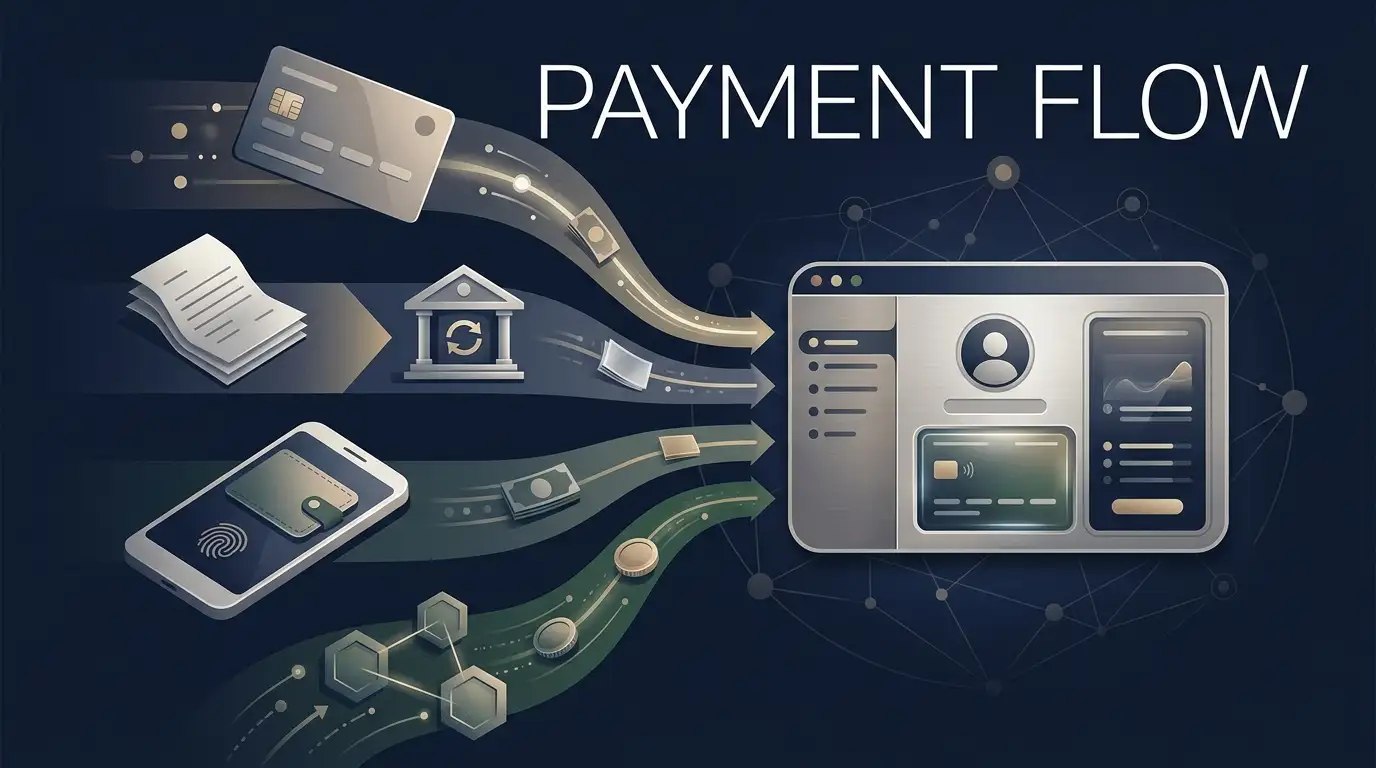
If Apple Pay is absent from the withdrawal options, ask which methods the casino does support before you commit funds. That small check can prevent an awkward surprise when you want to cash out. Deposit support and withdrawal support are separate questions.
Apple Pay Casinos and GamStop: Check the Gambling Safeguards
An Apple Pay option and a casino’s GamStop status are separate things. Seeing a payment method advertised tells you nothing about whether the operator is connected to GamStop, and a site’s position on GamStop does not confirm that it accepts Apple Pay. Treat each as a separate check; don’t infer one from the other.
Be cautious with claims that a casino is “not on GamStop” or is unaffected by it. Before opening an account, look for the operator’s own information about self-exclusion and contact its support team if the position is unclear. A vague claim on a payment page is not a reliable answer about gambling safeguards.

For play in Great Britain, real-money online casinos serving customers must hold the relevant UK Gambling Commission licence. Check the operator’s licence number against the Commission’s public register before depositing. A licence check confirms the operator’s regulatory status; it does not, by itself, establish a particular relationship with GamStop or confirm Apple Pay availability. Keep those questions distinct.
UK-licensed casinos must provide responsible gambling tools, including self-exclusion. If you are trying to avoid gambling, don’t use a payment method or a site’s apparent availability as a way around a safeguard you have chosen. Check the exclusion arrangements directly and contact the relevant support service if you need help understanding them.
I’d also avoid treating “no fee” wording as proof of anything about GamStop. Fees, payment acceptance and self-exclusion are different matters, and one does not answer the others. Read the operator’s terms and safeguards before deciding whether to register.
The practical check is simple: verify the licence on the public register, confirm Apple Pay support separately, and ask the casino directly about its GamStop position. If those answers are unclear or conflict, pause rather than relying on a label. A payment button is not a safeguarding policy.
How do you deposit with Boku at online casinos?
Select Boku in the casino cashier, choose an eligible amount, enter your mobile number and confirm the payment with the SMS verification code. Boku deposits are charged to your monthly phone bill or deducted from your PAYG credit.
What are the deposit limits at pay-by-mobile casinos?
Boku deposits are usually limited to £30 per transaction, though some casinos or networks may allow £40 or £50. Mobile networks may impose a lower limit—typically about £10 per transaction and £30 per day—and PAYG deposits cannot exceed your remaining phone credit.
How can you check whether Boku is available where you live?
Check the casino’s cashier or ask its support team whether Boku is available for your account and location. Pay-by-mobile services are supported by EE, O2, Vodafone and Three, but each casino may offer different options.
Can you deposit by phone bill without Boku?
Yes. Some casinos use other pay-by-mobile providers, including Fonix or Siru Mobile, instead of Boku; check the payment options in the casino cashier.
Prepared by the Donbet editorial staff.